FareHarbor Integration
From FareHarbor Booking to Actionable Passenger Lists
Use GuideScout — the guide management platform — to automate passenger grouping, pickup planning, and guide assignment for your FareHarbor bookings.
FareHarbor Integration
Use GuideScout — the guide management platform — to automate passenger grouping, pickup planning, and guide assignment for your FareHarbor bookings.
The GuideScout FareHarbor integration listens to your FareHarbor booking webhooks and converts each booking into operational work that is already done: the passenger is grouped into the right departure, their pickup is placed on an optimised route, and a qualified guide is found and notified. Your dashboard in FareHarbor stays the source of bookings; GuideScout becomes the source of truth for running them.
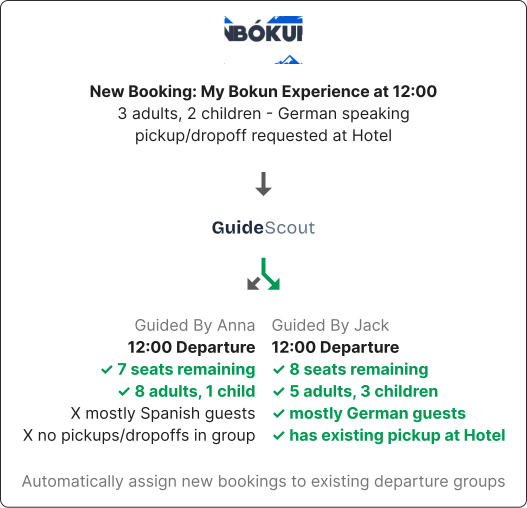
A new booking is created on FareHarbor, just like any other booking you already receive. FareHarbor sends GuideScout a webhook the moment it happens.

GuideScout parses the booking into structured passenger data: names, adult/child composition, contact details, pickup location, and booking notes. Even counts written in free-text notes are extracted.
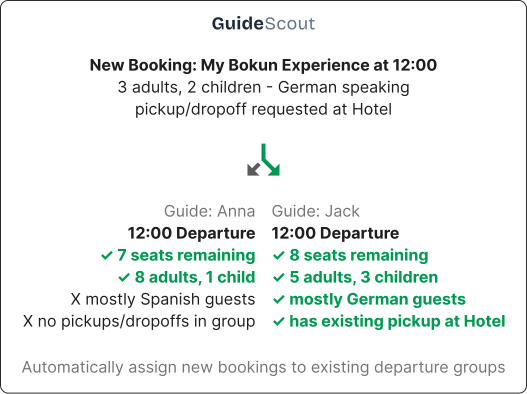
GuideScout looks at existing departures with space, similar passenger composition, and nearby pickup locations, and adds the new booking to the best match — or creates a new departure if none fits.
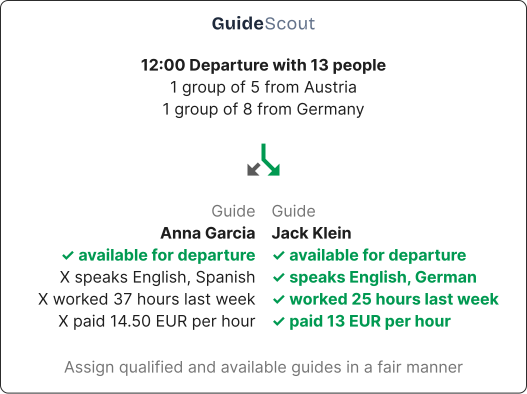
GuideScout searches your own guides first — checking languages, skills, availability, and approved cities — and can optionally extend the search to the vetted external freelance network.
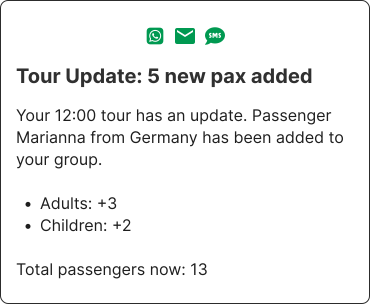
When a FareHarbor booking changes or is cancelled, the guide is notified instantly, guest reminders adjust automatically, and the guest portal reflects the new reality — without anyone on your team touching a spreadsheet.
Common questions from FareHarbor operators:
GuideScout receives FareHarbor booking webhooks in real time. Each new booking, amendment, or cancellation is parsed into structured passenger data — names, counts, contact details, pickup locations, and notes — and flows straight into GuideScout departures, pickup routing, and guide assignment.
No. You keep selling and managing bookings in FareHarbor exactly as you do today. GuideScout sits downstream of the booking: it reads booking events and automates the operations side — grouping, pickups, guide assignment, and guest communication.
Passenger names and composition (adults, children, teenagers, infants), contact phone numbers and emails, pickup and dropoff details, booking notes, product names, and cancellation status. Free-text notes are parsed too, so details like guest counts or car counts written in notes are captured.
Cancelled bookings are removed from departures automatically. Guest reminders and portal access for the cancelled passenger stop, and the assigned guide is notified of the change — no manual cleanup needed.
Yes. Each FareHarbor connection has its own credentials, and GuideScout scopes booking references per credential. You can run multiple brands or companies side by side without ID conflicts.
GuideScout also integrates with Bokun and Peek, and can import from any ICS calendar feed. All bookings land in the same operations view, are grouped into the same departures, and use the same guide assignment logic.
Sync bookings, cancellations, and passenger details from Bokun, FareHarbor, Peek, and calendar feeds in real time.
Learn moreMatch every departure with a qualified, available guide using language, skill, and fairness-aware matching.
Learn morePlan pickup routes automatically with live drive times, walking zones, and meeting-point management.
Learn moreUse GuideScout to match with the best guide for your tour.