
Integrations
Every Booking, Synced the Second It Happens
Connect Bokun, FareHarbor, Peek, or any ICS calendar feed, and let GuideScout turn raw bookings into grouped departures, planned pickups, and assigned guides — with zero copy-paste.
Integrations
Connect Bokun, FareHarbor, Peek, or any ICS calendar feed, and let GuideScout turn raw bookings into grouped departures, planned pickups, and assigned guides — with zero copy-paste.
GuideScout booking integrations connect your reservation system — Bokun, FareHarbor, Peek, or an ICS calendar feed — directly to the GuideScout guide management platform. Bookings, changes, and cancellations stream in through webhooks in real time, so your departure lists, pickup routes, and guide assignments always match what guests actually booked. You keep selling where you already sell; GuideScout handles everything that happens after the booking.

Run several brands or vendors? Connect each account with its own credentials. GuideScout keeps external booking references scoped per credential, so two accounts can never collide — while your team still sees one unified list of departures, passengers, and guides.
An integration is only useful if it removes work. Every synced booking flows straight into GuideScout automation.
New passengers are grouped into existing departures based on capacity, passenger composition, and pickup proximity — or a new departure is created.
Pickup addresses are geocoded, normalised, and planned into an optimised route with real drive times.
Qualified, available guides are matched and notified automatically — from your team or the external network.
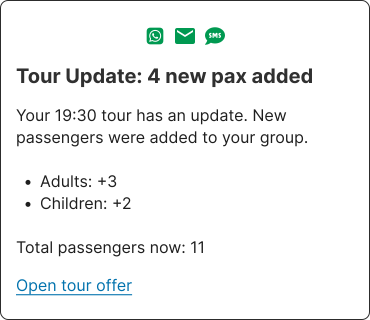
Guests get pickup confirmations and updates by SMS or WhatsApp, with replies landing in your team chat.
Every passenger gets a live portal with pickup details, meet-your-guide info, and real-time changes.
Completed tours flow into guide payout statements, ready for approval and payment records.
Dive into how GuideScout works with your booking system:
Turn Bokun bookings into grouped departures with assigned, qualified guides — automatically.
Learn moreConnect FareHarbor and let every booking flow into actionable passenger lists and guide assignments.
Learn moreBring Peek bookings into GuideScout for automated grouping, pickups, and guide scheduling.
Learn moreCommon questions about connecting your booking platform to GuideScout:
GuideScout has native integrations with Bokun, FareHarbor, and Peek (PeekPro). On top of that, GuideScout can import bookings from any system that exposes an ICS calendar feed, and can receive data through configurable inbound webhooks. Outbound webhooks let you push GuideScout events back into your own systems.
Bookings arrive through webhooks, so new bookings, changes, and cancellations typically appear in GuideScout within seconds of being made on your booking platform. There is no nightly sync delay and no manual export/import step.
GuideScout reads the full booking context: passenger names and counts (adults, children, teenagers, infants), contact details, pickup and dropoff locations and times, booking notes, product and rate titles, languages, and cancellation or rebooking status. Free-text booking notes are parsed too — for example guest counts and car counts written in notes are extracted automatically.
Cancellations flow through automatically: the passenger is removed from the departure, reminders and guest notifications for that passenger stop, and the guide is informed. Rebooked bookings are treated as cancellations of the original slot, so your departure lists always reflect reality.
Yes. Integrations are credential-based, so a company can connect multiple accounts — for example two Bokun vendors — and GuideScout keeps external references scoped per credential, avoiding ID collisions between accounts.
Yes. GuideScout can sync your tours from the booking platform, including durations, and keeps them up to date. Invoice-only or non-tour products are filtered out so your catalog stays clean.
The booking is grouped into a departure using intelligent passenger grouping, pickup routes are planned, and automated guide assignment finds a qualified guide. The guide and the guest are then kept informed automatically through notifications and the guest portal.
Match every departure with a qualified, available guide using language, skill, and fairness-aware matching.
Learn morePlan pickup routes automatically with live drive times, walking zones, and meeting-point management.
Learn moreTwo-way SMS and WhatsApp with every guest, with delivery receipts and a full communication log.
Learn moreUse GuideScout to match with the best guide for your tour.