
Guest Communications
Message Every Guest. Hear Every Reply.
Automated SMS and WhatsApp updates for pickups, guides, and changes — with guest replies landing straight in your team chat and a complete communication log for every booking.
Guest Communications
Automated SMS and WhatsApp updates for pickups, guides, and changes — with guest replies landing straight in your team chat and a complete communication log for every booking.
GuideScout guest messaging is a two-way SMS and WhatsApp channel between your operation and every passenger. Pickup confirmations, guide introductions, arrival alerts, and change notifications go out automatically at the right moments — and when guests text back, their replies appear as chatrooms in GuideScout, ready for your team to answer. Every message, in both directions, is logged against the booking.

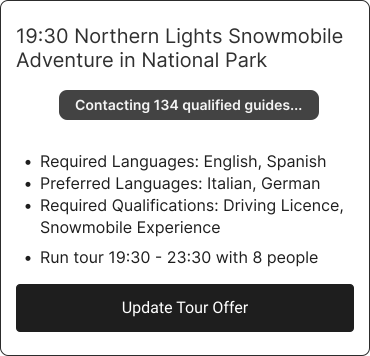
When a guest replies, GuideScout opens a support chatroom tied to that guest and booking. Your team answers from the operations app — no shared phone being passed around the office. WhatsApp images, locations, contacts, and voice notes are converted into readable entries so the conversation stays complete.
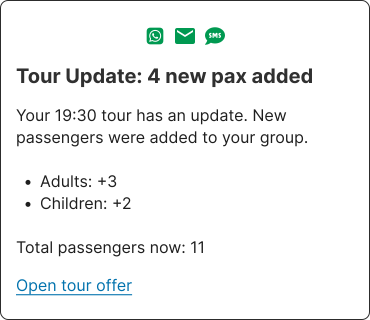
Every outbound notification and inbound reply is recorded per company and per guest, with sent, delivered, and read receipts where the channel provides them. When a guest claims they "never got the pickup time", your team can see the delivered-and-read receipt — timestamped.
Common questions about SMS and WhatsApp guest communication:
GuideScout messages guests over SMS and WhatsApp, and complements both with the guest portal. Messages are sent from your operation's configured sender, and guest replies flow back into GuideScout chatrooms where your team (or the AI assistant) can respond.
Yes — messaging is fully two-way. When a guest replies to an SMS or WhatsApp message, a chatroom is created (or reopened) in GuideScout, your team is notified, and the whole conversation history stays attached to the booking. Non-text WhatsApp messages like images, locations, or voice notes are converted into readable entries, so nothing gets lost.
Typical automated messages include pickup confirmations, 'meet your guide' introductions with the guide's name and photo, 'your guide is arriving' alerts with live pickup timing, pickup change notifications, and pre-tour reminders. All of them stop automatically for cancelled passengers and after the tour has started.
Contact cooldowns ensure a guest isn't messaged repeatedly in a short window, last-minute contact rules avoid redundant pings close to pickup, and notifications are suppressed once a tour has started. If a route is edited five times, the guest doesn't get five texts.
Yes. Every outbound and inbound message is recorded in a per-company communication log, including channel, timestamps, and delivery status — sent, delivered, and read receipts where the channel supports them. Operations can audit exactly what every guest was told and when.
No. Guests receive standard SMS or WhatsApp messages and a web link to their guest portal. There is nothing to install and no account to create.
GuideScout normalises international phone numbers automatically, including numbers entered without a country prefix, and infers the guest's country from the number where possible — useful for nationality insights on departures.
Plan pickup routes automatically with live drive times, walking zones, and meeting-point management.
Learn moreGive every passenger a live portal with guide tracking, pickup details, and instant updates.
Learn moreAn AI copilot in your ops chat that finds offers, checks guide eligibility, and executes changes with your approval.
Learn moreUse GuideScout to match with the best guide for your tour.